
The Connected Building: When Parking, Access & Security Talk to Each Other
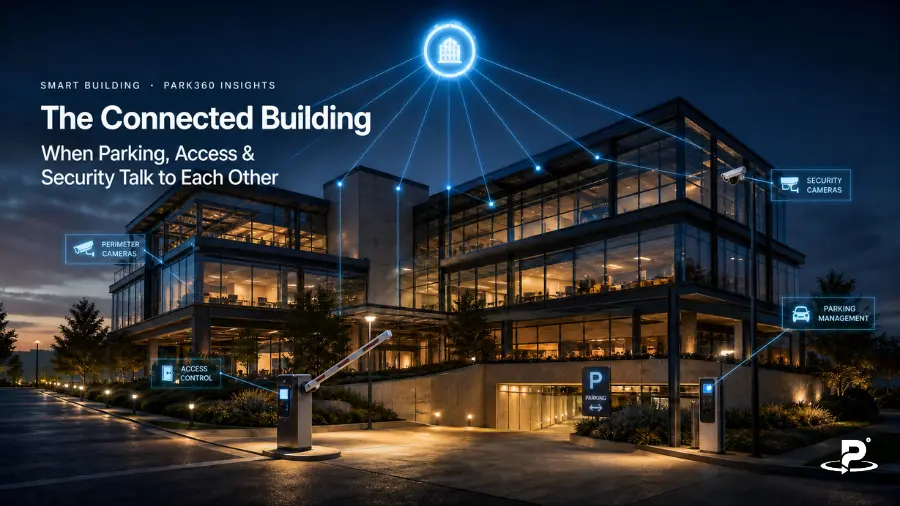
Picture a routine arrival at a typical commercial building. A visitor pulls up to the gate. A security guard asks for a name, a phone number, and the hosts’ name.
The guard flips through a register or scrolls through a spreadsheet, calls reception, and eventually writes out a paper pass. The visitor drives in with no idea where to park.
Ten minutes later, reception calls the host to say the visitor has arrived. By the end of the visit, the same trip has been recorded three times — once at the gate, once at parking, once at reception — in three places that will never be compared.
Now picture the connected version of the same arrival.
The vehicle reaches the entrance. An ANPR camera reads the number plate. The system checks a pre-approved authorization created when the host registered for the visit.
The barrier opens. The parking event is recorded, the driver is directed to the visitor parking area, and the host receives a notification that their guest has arrived.
Inside the building, the visitor’s permissions continue under predefined rules—and expire when the visit ends.
The technology in both scenarios might look similar from the outside: cameras, barriers, passes. The difference is not the devices. It is whether those devices act on the same information. The difference between an automated building and a connected building is whether its systems can talk to each other.
What Is a Connected Building?
A connected building is a property where operational systems exchange data and trigger coordinated actions, instead of functioning as independent technology islands.
In the context of parking, access and security, several layers need to work together:
- Vehicle identification — ANPR, RFID, UHF, FASTag or QR-based recognition
- Authorization — a database of employees, tenants, residents, vendors and visitors, each with defined permissions
- Physical access — boom barriers, gates, turnstiles, doors and lifts
- Parking management — entry and exit tracking, occupancy, allocation and enforcement
- Visitor management — invitations, approvals, digital passes and host notifications
- Security — CCTV, alerts, watchlists and incident response
- Operations — dashboards, audit trails, reporting and rule configuration
Most buildings sit somewhere on a three-stage maturity curve. The manual building relies on human checks and paper records. The automated but fragmented building has invested in individual technologies — an ANPR camera here, a visitor app there — that each automate one step without knowing about the others. The connected building goes further: its systems share context, so an event in one system can inform or trigger actions in the rest.
Importantly, becoming connected does not always mean ripping everything out. In many cases, existing barriers, cameras, and access infrastructure can be integrated into a platform, depending on compatibility and site conditions. The goal is coordination, not duplication.
The Problem with Standalone Parking, Access, and Security Systems
Most buildings run parking, access control, and security as separate systems—each with its own database, checkpoints, and version of the truth.
The result: inconsistent permissions, repeated identity checks, slow incident investigations, and poor operational visibility.
Multiple systems, multiple versions of the truth
When parking, access control, and visitor management each maintain their own database, inconsistencies are inevitable. An employee is active in the HR system but not authorized at the parking gate.
A visitor is approved by reception but unknown to the security team at the barrier. A vendor’s building access has expired, but their vehicle access remains active. A vehicle on the watchlist is captured by CCTV — but that watchlist was never connected to the barrier rules.
Repetitive verification
In a fragmented building, the same person may have to prove who they are at the main gate, at the parking entry, at reception, at the lift lobby, and again at a restricted floor. Each checkpoint starts from zero because no context travels with the user.
Slow, fragmented incident response
When something goes wrong, investigators in a standalone environment must manually reconstruct the story: which vehicle entered, who authorized it, where it parked, which doors were used, and when it left — pulling each answer from a different log, register or recording.
Limited operational visibility
Separate tools make simple questions surprisingly hard to answer. What is the current occupancy? How many visitors are expected today? Which vehicles have overstayed? Which gates see the most denied attempts? Facility teams end up stitching answers together from disconnected reports.
Standalone automation can genuinely improve an individual checkpoint. What it cannot do is fix the journey — and the journey is what users, hosts and security teams actually experience.
One Arrival, One Connected Journey
To see what integration really means, follow a single realistic arrival: a contractor coming to a corporate campus for a scheduled maintenance appointment.
Step 1: The visit is created before arrival
The facility manager pre-registers the contractor: name, host, date, time window, and vehicle number. The system creates a temporary authorization scoped to that visit — valid only for the approved date, entrance and duration. The same workflow applies equally to visitors, vendors, delivery vehicles, interview candidates, and event attendees.
Step 2: ANPR identifies the arriving vehicle
At the gate, a camera captures the contractor’s number plate. That plate becomes the vehicle’s digital identifier and is compared against approved, active and restricted records. ANPR identifies the vehicle; the authorization rules decide what happens next.
Step 3: Authorization is verified in real time
In a fraction of a second, the platform checks the conditions that matter: Is the vehicle registered? Is authorization valid for this date and time? Is this the correct entrance? Is the visit expected? Is parking available? Does the plate appear on any restricted list?
Step 4: The barrier responds automatically
The conditions match, so the barrier opens. Entry time is recorded, and the event is written to the audit trail. Security retains full visibility — they simply did not have to manually process a routine, pre-approved arrival.
Had the conditions not matched, the barrier would have stayed closed, the event would have been flagged, and security would have received the relevant context to intervene through a defined exception workflow.
Step 5: The parking session begins
The system registers the occupancy, confirms the contractor’s eligible parking zone, starts tracking the session duration, and updates available capacity. Visitor, employee and vendor parking rules are applied automatically rather than remembered by a guard.
Step 6: The host is notified
The moment the vehicle enters, the facility manager receives a notification. Reception is prepared before the contractor reaches the lobby. Security, administration and the host all see the same visit status — no calls between the gate and the front desk.
Step 7: Permissions continue inside the building
Because the visit context already exists, it can inform building access: temporary lobby entry, turnstile or QR access, lift-floor permissions and time-bound access to the specific work area. Not every building needs every layer — these are configurable possibilities, not mandatory steps.
Step 8: Exit closes the journey
When the contractor leaves, the exit is recorded, parking occupancy updates, and the temporary authorization expires. Entry, parking, access, and exit events remain linked to one connected history rather than four disconnected records.
The connected journey in one line: Vehicle arrives → ANPR identifies → authorization is verified → barrier opens → parking is tracked → host is notified → building permissions apply → exit closes the visit.
What Makes the Systems “Talk” to Each Other?
Integration is not magic; it rests on a few practical foundations.
A common identity or reference. Systems need a shared way to associate events with the correct vehicle, person, host, and permission. When the number plate at the gate, the visitor records at reception, and the access credential at the door all point to the same identity, context can travel with the user.
A central rules engine. Somewhere, a set of rules decides what should happen based on identity, role, location, time, authorization status and parking entitlement. A registered employee may receive weekday access at a designated gate, while a visitor’s vehicle is admitted only on the approved date and routed to visitor parking.
Integration interfaces. APIs, event triggers and hardware controllers connect the platform to barriers, cameras, access-control systems, visitor-management tools and employee or tenant databases. The details vary by site, but the principle is constant: systems must be able to both publish events and act on them.
Real-time event exchange. There is a meaningful difference between collecting data and acting on it. An ANPR capture is an event. Authorization approval is a decision. Barrier opening is an action. Parking registration is an operational update. Host notification is a workflow trigger. A connected building chains these together in real time.
A unified operational view. Finally, a common dashboard lets security, parking and facility teams see the complete picture instead of reviewing isolated logs — which changes both daily operations and incident response.
The Business and Operational Benefits of a Connected Approach
A smoother arrival experience
Fewer stops, fewer repeated checks, less uncertainty at the gate and a faster path from entrance to destination. For corporate campuses and commercial properties, the arrival experience is a first impression — and a connected one feels effortless.
Stronger security through context
A barrier opening tells you a vehicle was admitted. A connected system also tells you why it was admitted, who approved it, what permissions were granted, when those permissions expire and what happened afterwards. Context is what turns raw events into actionable security intelligence.
Reduced manual coordination
Gate-to-reception phone calls, paper visitor slips, duplicate data entry and manual reconciliation of registers can all shrink dramatically when systems share information automatically.
Better parking utilization
Connected parking data supports real-time occupancy awareness, allocation by user category, visitor parking control, overstay identification and demand analysis. An integrated parking management system turns the parking area from a blind spot into a source of operational insight.
Faster investigation and auditing
When entry, parking, access and exit events are linked, authorized teams can reconstruct a journey in minutes rather than piecing it together from separate systems.
Consistent policies across sites
Multi-building operators can apply common authorization policies platform-wide while still allowing site-specific configurations — the same governance, adapted to each location.
Data for better decisions
Connected systems can finally answer operational questions with confidence: When do entry queues peak? Which parking areas are underused? How often are exceptions manually approved? Which gates see the most denied attempts? These answers drive staffing, capacity and policy decisions.
Connected Journeys for Different User Types
One workflow does not fit everyone — and a good, connected platform does not force it to.
- Employees: registered vehicles, recurring authorization, policy-based parking eligibility and fast entry during approved hours.
- Visitors: host pre-registration, time-bound vehicle authorization, visitor parking guidance, arrival notification and temporary building access.
- Vendors and contractors: access linked to a work order or schedule, a limited entry window, designated parking or loading zones, and automatic expiry when the task ends.
- Residents and guests: resident vehicle recognition, guest approval by the resident, temporary guest parking and full security visibility into expected arrivals.
- Deliveries: verification at the gate, routing to a designated service entrance, limited dwell time and alerts for unexpected or extended presence.
The connected system applies different rules to different journeys — while maintaining one coherent operational framework underneath.
What Happens When Something Doesn’t Match?
Real operations always involve exceptions: an unreadable number plate, a visitor arriving in a different car, an employee in an unregistered vehicle, an expired authorization, a full parking area, an arrival outside the approved window, or a restricted vehicle attempting entry.
A well-designed exception workflow handles these gracefully:
- Detect the mismatch.
- Keep the default action secure — the barrier stays closed.
- Present security with the relevant context, not just an error.
- Allow authorized personnel to review or override.
- Record who made the decision and why.
- Notify the relevant stakeholder if necessary.
- Retain the event for reporting and investigation.
This is the point many buildings miss: automation should not eliminate human oversight. It should give security teams better context, so they spend their attention on the handful of genuine exceptions instead of manually processing hundreds of routine arrivals.
Integration, Privacy and Cybersecurity Considerations
Connecting systems means connecting data — which makes governance part of the design, not an afterthought.
Start with data governance. Define what information is collected, why it is needed, who can access it, how long it is retained, and when temporary records — such as visitor vehicle data — expire.
Use role-based access. Gate security, reception, parking administration, facility management and IT each need different views of the same platform. Nobody should see more than their role requires.
Protect the integrations themselves. Authenticated connections between systems, encrypted data exchange, access logging, controlled administrative privileges and regular software and firmware maintenance are baseline expectations for any connected deployment.
Plan for continuity. Every building should define what happens during an internet disruption, a power failure, a camera malfunction or an integration timeout — before those events occur, not during them.
Keep human accountability. Manual overrides are necessary, but they should always be permission-controlled and logged.
No technology guarantees complete security or automatic regulatory compliance. Privacy, cybersecurity and compliance are responsibilities to be addressed deliberately during design and deployment — and a serious integration partner will raise them before you do.
How to Move from Standalone Tools to a Connected Building
The transition is best treated as a phased roadmap, not a single project.
- Map the current journey. Document what actually happens from arrival to exit for employees, visitors, vendors, residents and deliveries. Identify every manual check, handoff and duplicate record.
- Inventory existing systems. Cameras, ANPR units, barriers, parking software, visitor tools, access-control systems, tenant databases and notification channels — know what you have before deciding what to connect.
- Identify high-value integration points. Visitor pre-registration to vehicle authorization; ANPR recognition to barrier control; vehicle entry to host notification; access denial to security alert.
- Define policies before automating them. Who can enter, where they can park, at what times, who approves exceptions, when permissions expire, and what triggers an alert. Automating an unclear policy only automates confusion.
- Pilot one end-to-end journey. The visitor-arrival workflow is an ideal pilot because it crosses parking, security and reception in a single flow.
- Measure outcomes. Gate-processing time, manual approvals, repeated checks, entry exceptions, occupancy visibility and investigation time all indicate whether the integration is working.
- Expand in phases. Once the core journey is validated, extend to additional user categories, entrances, parking areas, buildings and security workflows.
What to Look for in an Integrated Platform
When evaluating platforms, ask questions about the journey, not just the devices:
- Can it support multiple identification methods — ANPR, RFID, UHF, FASTag, QR — where required?
- Can it manage both permanent and temporary authorizations?
- Can rules vary by person, vehicle, site, gate and time?
- Can it integrate with existing barriers, cameras and access-control infrastructure?
- Can parking, visitor and security teams work from shared information without duplicating records?
- Does it support real-time alerts and notifications?
- Are manual overrides controlled and auditable?
- Can it scale across multiple buildings or campuses?
- How are data retention and user permissions managed?
- What happens when a device or network becomes unavailable?
The guiding principle: the goal is not to accumulate the largest number of devices. It is to create one reliable journey in which every component contributes to a shared operational outcome.
Where PARK360 Fits In
PARK360 is built around exactly this philosophy of integration. Rather than offering isolated gate devices, the platform brings together smart parking management, vehicle and people authorization, boom-barrier access control, ANPR, tag-based access (RFID, UHF and FASTag), Smart QR and AI-driven monitoring into one connected ecosystem.
Our corporate parking solutions integrate with CCTV surveillance and access-control systems, combine visitor pre-registration and digital passes with vehicle authorization, and give administrators a fully regulated, end-to-end view — from the moment a number plate is read at the gate to the moment the parking session closes.
For property owners and facility teams planning the move from standalone tools to a connected building, that end-to-end scope is precisely what makes the journey described in this article achievable in practice.
Conclusion: The Future Is Not More Systems — It Is Better Coordination
Parking is usually the first physical interaction a person has with a building. In a connected building, that interaction does not end as an isolated record at the barrier — it becomes the opening step of a coordinated journey that carries context through parking, reception, doors and exit.
When parking, access, visitor management and security share information, the building responds as one environment: easier for legitimate users, more visible to operations teams, and far more manageable when exceptions occur. A connected building is defined not by the number of technologies it installs, but by how intelligently those technologies work together.
When every arrival becomes one connected journey — from number plate recognition to parking, access and exit — the building stops operating as a collection of checkpoints and starts functioning as a coordinated system.
Ready to Connect Parking, Access and Security?
Discover how PARK360 can help create an integrated arrival and access experience across your property — from vehicle identification and authorization to parking management and secure entry. Book a Demo.